Build a Company Website in Minutes with AI-Powered Code Generation
The Old Way vs. the New Way
Building a company website has traditionally meant weeks of planning, months of development, and thousands of dollars in engineering costs. You'd hire a designer, coordinate with developers, set up hosting, manage DNS records, and deploy through a labyrinth of CI/CD pipelines. Today, that entire workflow can happen in minutes.
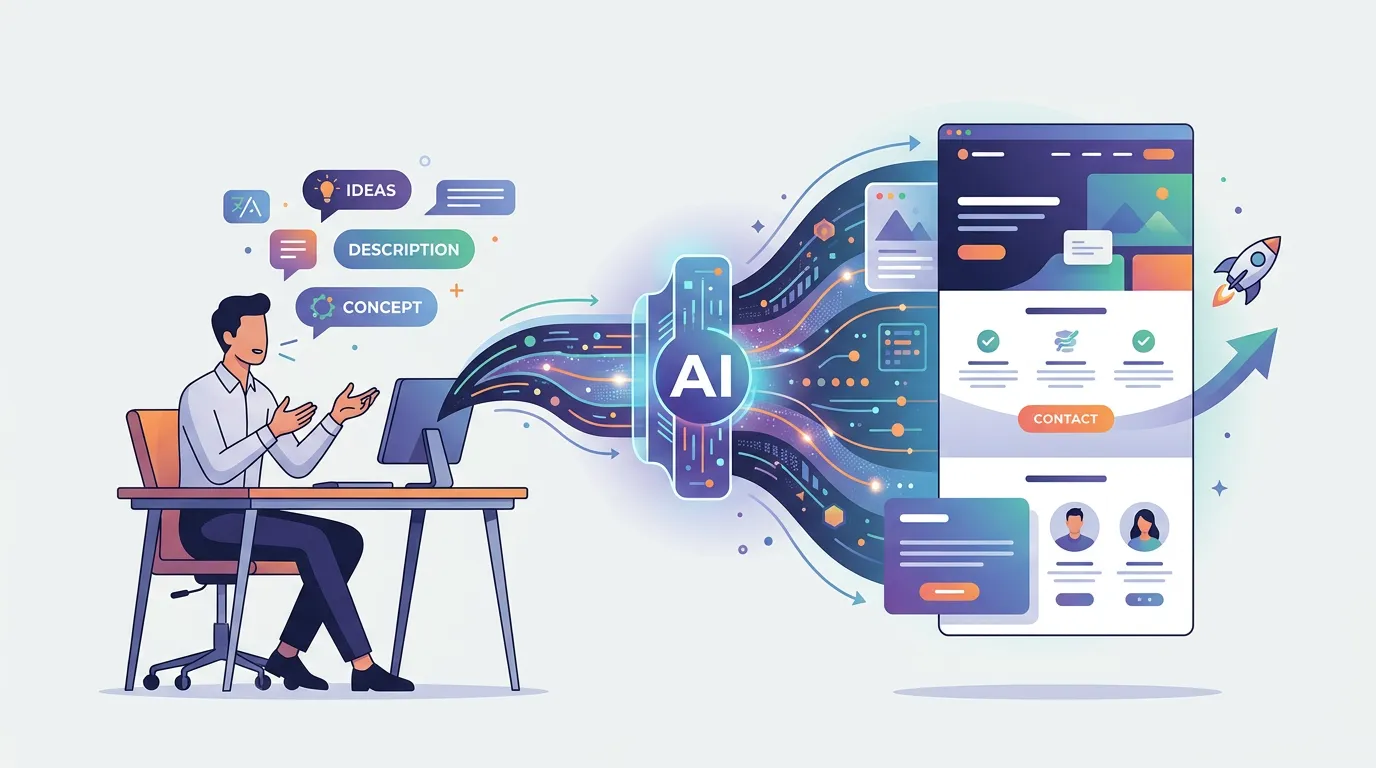
AI-powered code generation has flipped the script: instead of writing code, you describe what you want—and the system writes, tests, and deploys it for you. This article walks through the real workflow of launching a professional company website using natural language prompts and automatic deployment.
How AI Code Generation Works for Web Apps
At its core, AI code generation for web apps follows three steps:
- Prompt interpretation – You describe your site in plain English ("Build a marketing homepage with a hero section, three feature cards, and a contact form").
- Code generation – An LLM generates production-ready code (Next.js + TypeScript in a sandboxed container).
- Instant deployment – The app is automatically deployed to a live URL as soon as generation completes.
Unlike older "drag-and-drop" builders, AI codegen produces real code—proper component structure, TypeScript typing, and performance optimizations. The generated code runs on modern serverless infrastructure (AWS Lambda, CloudFront, S3), so you get auto-scaling, global CDN caching, and zero ops overhead.
AI code generation removes the gatekeeping around web development. You no longer need to choose between "low-code but limited" or "flexible but requires engineers." You get both.
Why This Matters for Speed
Traditional dev workflows lose weeks to setup overhead: environment configuration, build tooling, hosting account setup, DNS propagation, SSL certificate provisioning. AI code generation bakes all of this into the platform. When your app finishes generating, it's already live, cached globally, and running on HTTPS.
Building a Multi-Page Company Website: The Real Workflow
Let's walk through a realistic scenario: launching a SaaS company website with a homepage, features page, pricing page, and contact form.
Step 1: Define Your Structure in Natural Language
Start by describing what pages you need and what each should contain:
Build a company website for TechFlow, a SaaS platform.
- Homepage: Hero section with headline and CTA button,
  three benefits cards, testimonials, FAQ section
- Features page: Grid of feature cards with icons and descriptions
- Pricing page: Three pricing tiers with comparison table and subscribe buttons
- Contact page: Form with name, email, message fields; success message on submit
- Navigation: Sticky header with links to all pages, logo, and mobile menu
You paste this prompt into FloopFloop, hit generate, and live progress messages stream to your browser as the AI builds your app.
Step 2: Watch Real-Time Generation
As your site generates, you see real-time logs:
✓ Parsing project structure
✓ Generating homepage component
✓ Creating TypeScript types for form data
✓ Building pricing comparison table
✓ Bundling Next.js app
✓ Deploying to CloudFront
✓ Validating SSL certificate
→ Live at: techflow.floop.tech
Your site is live before generation even finishes. You can open it in a new tab and start testing while the system still optimizes the build.
Step 3: Iterate with Refinements
You review the generated site and decide the hero section needs a background image and the pricing page should highlight a recommended tier. Instead of diving into code:
Add a professional tech background image to the homepage hero.
Highlight the Pro tier with a "Most Popular" badge and
give it a subtle background color to make it stand out.
You submit the refinement, and within 30 seconds, your site updates live. No deployment lag, no build waiting—just continuous iteration.
Key Features That Make This Possible
Automatic Deployment and Hosting
Every generated app is auto-deployed to a multi-tenant AWS stack. You get a free <project>.floop.tech subdomain, but you can also attach your own custom domain. DNS validation and SSL certificate provisioning happen automatically—no certificate authority sign-offs.
Built-in Components and Templates
The AI code generator has access to battle-tested components: forms, modals, data tables, navigation bars, hero sections, testimonial carousels, and more. When you ask for a "contact form with validation," the generator doesn't start from scratch—it assembles proven components and connects them to your backend.
Encrypted Secrets Management
If your site needs to call third-party APIs (Stripe for payments, SendGrid for email, etc.), you store API keys securely in FloopFloop's UI. Secrets are encrypted at rest with AWS KMS and injected at runtime—they never leak into generated code or build logs. Your app can reference them as environment variables.
Built-in AI Gateway
If your generated app needs to call large language models, FloopFloop's AI Gateway handles model routing, rate limiting, and credit management. The generated code can call the gateway without you managing raw API keys or rate limit logic.
Real-World Examples: What You Can Ship in Minutes
Marketing Homepage
A landing page for a new product launch: hero, feature highlights, pricing preview, email signup, testimonials, FAQ. Generated in ~3 minutes; live with global CDN caching and zero manual deployment.
Product Launch Dashboard
A simple internal tool: multi-page app with a product catalog, admin form to add new items, and a public-facing browse page. Generated, styled, and deployed in ~5 minutes.
SaaS Billing Portal
A customer-facing app with subscription management, invoice history, and usage dashboard. Integrate with Stripe, add your Stripe keys and your secrets are safely injected at runtime.
Content Site with Blog
A company blog with a homepage listing posts, individual post pages, and an admin interface to publish new content. FloopFloop includes a built-in CMS, so generating a blog-enabled site takes no extra time.
The barrier to shipping has collapsed. You're no longer choosing between "quick but cheap" or "professional but slow." You ship professional in hours, not weeks.
From MVP to Scaling
As your site grows and traffic increases, you don't manage infrastructure. The multi-tenant AWS stack auto-scales: Lambda functions spin up to handle load, CloudFront caches your assets globally, and the database handles data without you provisioning capacity.
If you need to add a new page or feature, you describe it in natural language and deploy in minutes. The same generation-to-deployment pipeline applies whether you're refining an MVP or building the tenth iteration of a mature product.
Common Pitfalls to Avoid
Being Too Vague in Your Prompt
"Make a website" won't generate anything useful. Use specific language: "Create a homepage with a hero section featuring a headline, subheadline, and blue 'Get Started' button. Below that, add three feature cards with icons and descriptions."
Expecting Perfect Design on the First Pass
AI code generation gets you 80% of the way there fast. The remaining 20% is refinement: asking for color adjustments, spacing tweaks, or image updates. Each refinement takes seconds; building from scratch takes weeks.
Forgetting About Mobile Responsiveness
When you describe your site, mention mobile considerations: "Hero should be full-width on desktop and stack vertically on mobile. Navigation bar should collapse to a hamburger menu on screens under 768px." The generator respects responsive design patterns by default.
Wrapping Up
Building a professional company website no longer requires hiring a dev team or learning to code. By describing what you want in natural language, you get production-ready, auto-deployed web apps in minutes. Whether you're launching an MVP, building a product site, or creating an internal tool, AI code generation eliminates weeks of setup overhead. FloopFloop brings this workflow to life: generate your Next.js app, watch it deploy to a live URL, and iterate seamlessly as you refine your vision.
Frequently asked questions
How fast is deployment after I finalize my website?
Deployment happens automatically as soon as code generation completes—typically within 30 seconds. Your site is live on a `<project>.floop.tech` subdomain with global CDN caching and HTTPS enabled by default.
Can I use my own domain instead of the floop.tech subdomain?
Yes. The platform supports custom domains. DNS validation and SSL certificate provisioning are handled automatically—you only need to manually edit DNS records and your certificates will be automatically added.
What happens if I want to change the design after launch?
Describe your refinement in natural language (e.g., 'Add a darker background color to the hero section' or 'Make the pricing table wider'). The AI updates the code and redeploys within seconds. No rebuilding from scratch.
Can I integrate third-party services like Stripe or SendGrid?
Yes. Store your API keys securely in the platform's UI. They're encrypted at rest and injected at runtime into your generated app—never appearing in code or logs. Your app references them as environment variables.
What if my site needs a database or backend API?
FloopFloop generates full-stack Next.js apps with built-in backend capabilities. You don't manage databases yourself—the platform handles data persistence through its managed infrastructure.
Subscribe to the FloopFloop newsletter
New posts, product updates, and the occasional lesson — straight to your inbox.
We'll never share your email. Unsubscribe anytime.
Related articles

Build Web Games with AI: FloopFloop's No-Code Approach
Discover how to develop interactive web games without writing code, using AI-powered generation and instant deployment on modern infrastructure.
Earn Passive Income Online: Launch Projects on FloopFloop
Learn how to build and monetize web applications without coding, turning your ideas into revenue streams with AI-powered deployment and minimal operational overhead.
How to Monetize a Web App You Built Without Code
Learn how to monetize a web app from first visitor to paying customer — covering pricing models, checkout flows, email conversion, and AI-powered upsells for no-code founders.