Create Custom AI Assistants with FloopFloop: Step-by-Step Guide
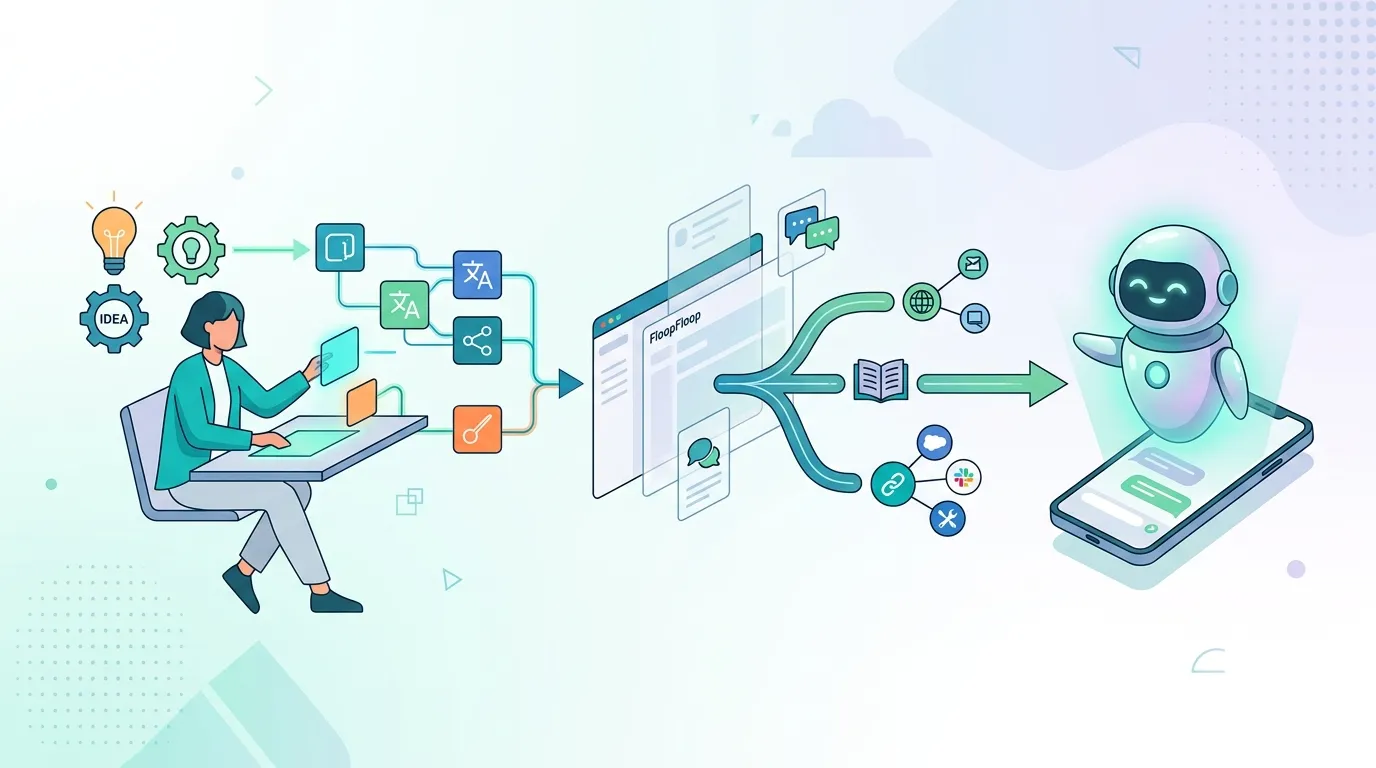
The Promise of Custom AI Assistants
Off-the-shelf chatbots and AI tools often feel generic. They follow preset rules, can't access your internal data, and rarely integrate seamlessly into your workflow. What if you could build an AI assistant that does exactly what you need—trained on your domain, connected to your systems, and deployed as a live web app in minutes?
That's the opportunity. Building custom AI assistants used to require deep backend expertise, API wrangling, and deployment infrastructure knowledge. FloopFloop changes that equation: describe what you want, and the platform generates a production-ready Next.js app with LLM integration, deploys it automatically, and keeps it running.
Understanding AI Assistants vs. Generic Chatbots
Before diving into the build, let's clarify what makes an AI assistant custom:
Generic chatbots are pre-trained and often limited to scripted responses or broad conversation. They lack domain knowledge and rarely tie into your specific business logic.
Custom AI assistants (or agents) are tailored to your use case. They might:
- Answer questions specific to your industry or product
- Perform actions: sending emails, fetching data, updating records
- Maintain conversation context and remember user preferences
- Enforce guardrails (e.g., only suggest certain categories)
- Call external APIs on behalf of the user
When you build with FloopFloop, you're creating a self-contained web app that orchestrates one or more LLMs, your business logic, and any third-party integrations you need.
How FloopFloop Simplifies AI Assistant Creation
Natural Language to Live App
Instead of writing backend code, you describe your assistant in plain English. For example:
"Create an AI assistant that helps HR managers screen resumes. It should extract key qualifications, flag red flags, and suggest interview questions. Use a professional tone and only approve candidates with 5+ years in the role."
FloopFloop's codegen engine parses your description, generates a full Next.js + TypeScript application, spins up a container to build it, and streams live progress to your browser. Within seconds to minutes, your app is running and accessible at a free <project>.floop.tech subdomain.
Built-In LLM Integration
You don't manage OpenAI keys, Anthropic credentials, or rate limits yourself. FloopFloop's AI Gateway abstracts away the complexity:
- Model routing: Use GPT-4, Claude, or other models without changing your app code
- Rate limiting: Requests are automatically throttled to prevent runaway costs
- Credit system: Track usage and allocate budgets per project or user
- No key exposure: API credentials never appear in your generated code or build logs
Your generated app calls the Gateway transparently; the platform handles authentication and billing behind the scenes.
Secrets Management
If your assistant needs to connect to Salesforce, Slack, a private database, or any other service, you store credentials in FloopFloop's encrypted vault. Secrets are:
- Encrypted at rest using AWS KMS
- Injected into your app's runtime environment only when needed
- Never logged, never exposed in version control (because there is no version control layer)
- Easy to rotate or update via the platform UI
Building Your First AI Assistant: A Practical Workflow
Step 1: Define Your Assistant's Purpose
Get specific. The clearer you are, the better FloopFloop's codegen performs. Answer these questions:
- What problem does it solve? (e.g., "Filter and categorize support tickets")
- Who uses it? (end users, internal staff, API consumers)
- What data does it need? (customer history, product docs, real-time inventory)
- What actions can it take? (respond only, or also book calendars, send notifications, etc.)
- What constraints or guardrails matter? (tone, safety filters, response length, approved categories)
Step 2: Describe It to FloopFloop
Write a natural-language prompt. Example:
Build an AI-powered customer support escalation assistant. It receives incoming support
tickets (title, description, customer tier). The assistant should:
1. Analyze sentiment and urgency
2. Suggest a support category (billing, technical, account, other)
3. Flag high-priority tickets for immediate human review
4. Generate a professional initial response draft

Keep responses concise (under 150 words). Use a friendly but professional tone.
For VIP customers, always escalate to a manager.
FloopFloop takes this description, generates the app, and shows live build progress as the container compiles and optimizes your code.
Step 3: Interact and Iterate
Your assistant is live in seconds. Test it. Try edge cases. Then refine: "Make the urgency detection stricter" or "Add a tone filter—no sarcasm." FloopFloop regenerates the app based on your feedback. Changes deploy immediately; there's no manual deploy step or CI/CD configuration to manage.
Step 4: Connect It to Your Systems
If your assistant needs to pull data from your CRM, send messages via Slack, or log results to a database, you provide the integration details:
- Store API keys and connection strings in FloopFloop's secrets vault
- Describe the integration in your prompt (e.g., "Query our Salesforce instance to fetch customer history before responding")
- FloopFloop's codegen includes the integration logic in the generated app
Step 5: Deploy to Your Domain
The free <project>.floop.tech subdomain is instant. To use your own domain (e.g., assistant.yourcompany.com), attach it in the platform UI. FloopFloop automatically:
- Handles DNS validation
- Provisions and renews SSL certificates
- Routes traffic through CloudFront for fast, global delivery
No DNS record tinkering, no cert management headaches.
Real-World Examples: What You Can Build
Example 1: Product Recommendation Engine
Description: "Create an AI assistant that helps e-commerce customers find the right product. It should ask clarifying questions about their needs, suggest items from our catalog with links, and explain why each matches their requirements."
What FloopFloop generates: A Next.js app with a conversational interface, LLM integration for dynamic Q&A, and API calls to your product database (via a stored secret for your database connection). Users chat, the assistant responds, and items are fetched from your inventory in real-time.
Example 2: Internal Operations Bot
Description: "Build an AI assistant for our ops team. It should accept requests like 'Schedule a meeting with the design team on Thursday' or 'Generate a weekly status report from Jira.' It has access to our company calendar API, Jira token, and email system."
What FloopFloop generates: A secure web app with forms and chat. The assistant parses user intent, validates permissions (e.g., is this user allowed to schedule meetings?), calls third-party APIs (calendar, Jira) via stored credentials, and reports success or errors back to the user.
Example 3: Educational Tutor
Description: "Create an AI tutor for high school algebra. It should explain concepts, give worked examples, quiz students, and adapt difficulty based on performance. Keep explanations grade-appropriate and encouraging."
What FloopFloop generates: A lesson-like interface where students ask questions or request topics. The LLM explains concepts, generates quiz questions on the fly, grades answers, and adjusts content difficulty. All deployed and instantly accessible.
Building AI assistants used to mean juggling SDKs, managing infrastructure, and waiting for deploys. Now: describe what you want, and you're live in minutes.
Security, Scalability, and Maintenance
Security by Default
FloopFloop's infrastructure is built on AWS (CloudFront, S3, Lambda, ECS Fargate). Your app:
- Runs in isolated containers during generation
- Is deployed to a multi-tenant, hardened AWS stack
- Has secrets encrypted at rest and injected securely at runtime
- Benefits from automatic SSL and DDoS protection via CloudFront
You don't configure security yourself; it's baked in.
Automatic Scaling
As your assistant gains users, FloopFloop's infrastructure scales automatically. Lambda functions handle traffic spikes, and the multi-tenant stack distributes load. You don't provision servers or worry about capacity.
Zero Maintenance
FloopFloop keeps your app running. The platform:
- Updates dependencies and patches vulnerabilities automatically
- Manages the LLM Gateway and API integrations
- Monitors uptime and performance
- Backs up your project configuration
You focus on refining your assistant's behavior; the platform handles the rest.
Getting Started: Your First AI Assistant
Ready to build? Here's your entry point:
- Log in or sign up at FloopFloop
- Create a new project and paste your assistant description into the prompt
- Watch it build (live progress streams to your screen)
- Test the live app at your
<project>.floop.techURL - Iterate by refining your prompt or adding features
- Scale or customize by connecting secrets, integrating third-party APIs, or attaching a custom domain
No credit card required to start—begin with free hosting on a FloopFloop subdomain.
Conclusion
Custom AI assistants are no longer the domain of well-funded engineering teams. With FloopFloop, you describe your vision in plain language, and a production-grade web app emerges within minutes. The platform handles code generation, LLM integration, secrets management, automatic deployment, and infrastructure scaling—leaving you free to focus on what your assistant should actually do. Whether you're building for customers, internal teams, or end-users, FloopFloop lets you ship intelligent, tailored agents faster than ever before.
Frequently asked questions
Can I use my own LLM or API key with FloopFloop?
FloopFloop's AI Gateway abstracts LLM access, so you don't manage keys directly. The platform supports multiple models (GPT-4, Claude, etc.) and routes requests through its unified interface. You store your credentials securely in FloopFloop's vault if needed for third-party integrations (e.g., Slack, Salesforce), but not for LLM calls themselves.
How do I connect my assistant to external data or APIs?
Describe the integration in your natural-language prompt, and FloopFloop's codegen includes the necessary API calls in your generated app. Store any required credentials (API keys, tokens, connection strings) in the platform's encrypted secrets vault. FloopFloop injects these at runtime so your app can authenticate and fetch data without exposing keys in code.
What happens if I want to modify my assistant after it's live?
Refine your prompt or describe the change, and FloopFloop regenerates your app. Changes deploy immediately—no manual deploy step, no CI/CD pipeline to configure. Iteration is instant, so you can test, tweak, and ship improvements in real-time.
Can I use my own domain instead of the free floop.tech subdomain?
Yes. Attach a custom domain in FloopFloop's platform UI, and the system automatically handles DNS validation, SSL certificate provisioning, and routing through CloudFront. No manual DNS or certificate management required.
How much does it cost to run an AI assistant on FloopFloop?
Hosting and deployment are free on a FloopFloop subdomain. Costs depend on LLM usage (routed through FloopFloop's AI Gateway with built-in rate limiting and credit tracking) and any premium features like custom domains or higher concurrency. Start free and scale as needed.
Subscribe to the FloopFloop newsletter
New posts, product updates, and the occasional lesson — straight to your inbox.
We'll never share your email. Unsubscribe anytime.
Related articles

How to Add an AI Chatbot to Your Web App Without Managing API Keys
Learn how to add an AI chatbot to your web app in minutes — covering model routing, rate limits, and API key security — without writing a single line of backend boilerplate.

How to Add an AI Chatbot to Your Website Without API Keys
Learn how to add an AI chatbot to your website in minutes using FloopFloop's built-in AI Gateway — no API keys, no backend code, and no infrastructure to manage.

Earn Passive Income Online: Launch Projects on FloopFloop
Learn how to build and monetize web applications without coding, turning your ideas into revenue streams with AI-powered deployment and minimal operational overhead.