How to Add Payments to a Web App: Monetize Your Next.js Project Fast

Shipping a web app is one milestone. Getting paid for it is another. Most developers delay monetization because it feels like a separate project — new APIs, compliance questions, and a whole billing UI to design. But the gap between "working app" and "paying customers" is smaller than you think, especially when you understand how to add payments to a web app before you've built everything else.
The fastest path to accepting payments is to wire up a hosted checkout — like Stripe Checkout — to a single pricing page, then redirect users to it before you build any custom card UI. You can go from zero to a live payment link in under an hour, which means you can validate pricing and demand on day one.
Why Charging Early Validates Demand (Before You Over-Build)
Delaying your billing page until "the product is ready" is one of the costliest mistakes in indie development. Here's what that delay actually costs you:
- No real signal. Free users tolerate broken features. Paying users tell you what actually matters.
- Sunk cost risk. Building 90% of a feature set before learning nobody will pay for it is a waste of months.
- Pricing inertia. Users who sign up for free expect it to stay free. Introducing a paywall later creates churn and resentment.
A minimal billing page — even a static pricing table with a "Buy" button — gives you a conversion signal. If 3 out of 10 users click through to checkout, you have product-market fit in your pricing. If 0 out of 10 do, you have a messaging problem worth solving now, not after you've built the analytics dashboard.
"The goal of your first billing page isn't elegance — it's evidence. One conversion tells you more than a hundred signups."
Choosing a Pricing Model: One-Time, Subscription, or Usage-Based
Your pricing model is a UX decision as much as a revenue one. It determines how complex your checkout flow needs to be.
| Model | Best for | Checkout complexity | Stripe product |
|---|---|---|---|
| One-time purchase | Tools, templates, digital goods | Low — single payment intent | Payment Links / Checkout |
| Subscription | SaaS, communities, content | Medium — plan selection, upgrade/downgrade | Billing + Subscriptions |
| Usage-based | APIs, AI features, metered services | High — metered billing, invoices | Billing + Meters |
| Freemium + upgrade | Consumer apps, productivity tools | Medium — free tier gating, upgrade CTA | Customer portal |
Rules of thumb:
- If your app solves a one-time problem (a resume builder, a PDF tool), start with a one-time price.
- If the value compounds over time (data storage, ongoing AI calls, community access), subscriptions make more sense.
- Only reach for usage-based billing when your costs scale directly with usage — metered billing adds significant backend complexity.
Pick your model before touching any checkout code. It shapes your database schema, your webhook handlers, and your entire billing page layout.
What Is the Easiest Way to Integrate a Payment Gateway into a Website?
The easiest way to integrate a payment gateway is to use a hosted checkout page provided by your payment processor. Stripe Checkout, for example, handles card rendering, 3D Secure authentication, tax calculation, and mobile layout — all without a single line of custom card UI. You redirect the user to a Stripe-hosted URL and handle a webhook on return.
For a Next.js app, the minimal flow looks like this:
- Create a Checkout Session via the Stripe API (server-side, using your secret key).
- Return the session URL to your client.
- Redirect the user to that URL.
- Stripe redirects back to your
success_urlafter payment. - A webhook to your
/api/webhooks/stripeendpoint confirms the payment and updates your database.
That's five steps, and steps 2–4 are essentially one-liners. You can implement a working checkout in an afternoon.
How Do I Integrate Stripe into a Web App?
Stripe is the most developer-friendly payment API available today, and its Next.js integration is well-documented. Here is a concrete step-by-step:
1. Install the Stripe SDK
npm install stripe @stripe/stripe-js
2. Create a Checkout Session (server route)
// app/api/checkout/route.ts
import Stripe from 'stripe';
const stripe = new Stripe(process.env.STRIPE_SECRET_KEY!);

export async function POST() {
  const session = await stripe.checkout.sessions.create({
    mode: 'subscription',
    line_items: [{ price: 'price_xxxx', quantity: 1 }],
    success_url: `${process.env.NEXT_PUBLIC_URL}/success`,
    cancel_url: `${process.env.NEXT_PUBLIC_URL}/pricing`,
  });
  return Response.json({ url: session.url });
}
3. Redirect from the client
const res = await fetch('/api/checkout', { method: 'POST' });
const { url } = await res.json();
window.location.href = url;
4. Handle the webhook
Use stripe listen --forward-to localhost:3000/api/webhooks/stripe locally. In production, configure your endpoint in the Stripe Dashboard and verify the signature with stripe.webhooks.constructEvent.
Never skip webhook signature verification. Replay attacks are real, and an unverified webhook endpoint is an open door to fraudulent subscription activations.
Anatomy of a High-Converting Billing Page
A pricing page is a sales page. The technical integration can be flawless while the page still fails to convert. Here's what every high-converting billing page includes:
- A clear pricing table with 2–3 tiers. Three tiers out-convert two because the middle tier anchors value. Add a "Most Popular" badge to the tier you actually want users to choose.
- Benefit-led CTA copy. "Start building" converts better than "Subscribe." "Get full access" converts better than "Upgrade."
- Trust signals near the CTA. A padlock icon, "Cancel anytime," money-back guarantee text, and logos of recognizable payment methods (Visa, Mastercard, Apple Pay) all reduce friction at the moment of purchase.
- Annual/monthly toggle. Showing an annual discount (typically 20%) increases average revenue per user without reducing conversion — users who choose annual churn less and have higher lifetime value.
- Mobile-first layout. More than 50% of SaaS trial signups now happen on mobile. Stack your pricing cards vertically on small screens; don't shrink them.
What Are the Best Payment APIs for Web Applications?
The three most widely used payment APIs for web apps in 2024–2025 are:
- Stripe — Best overall developer experience, richest feature set (subscriptions, usage billing, Connect, Tax). Fees: 2.9% + 30¢ per transaction in the US.
- Paddle — Acts as a Merchant of Record, handling VAT/GST compliance for you. Best for SaaS selling internationally.
- LemonSqueezy — Simpler than Paddle, popular with indie hackers. Also a Merchant of Record.
For most Next.js web apps targeting English-speaking markets, Stripe is the right default. Its API is the most thoroughly documented, its Next.js integration guide is comprehensive, and its ecosystem of community plugins is unmatched.
Is It Safe to Handle Payments Directly on My Web App?
Yes — with one hard rule: never handle raw card data yourself. Modern payment integrations delegate card entry entirely to the payment processor (via Stripe Elements or hosted Checkout). Your server only ever touches a payment token or session ID, not card numbers. This keeps you out of PCI DSS scope (specifically, you qualify for SAQ A — the simplest self-assessment questionnaire).
The safety checklist:
- Use HTTPS everywhere (non-negotiable for any payment flow).
- Validate Stripe webhook signatures on every incoming event.
- Store only what you need: a
customerIdandsubscriptionIdin your database, never card numbers. - Encrypt API keys at rest; inject them as environment variables at runtime.
What Do I Need to Accept Online Payments Legally?
Legal requirements vary by jurisdiction, but the baseline for most web apps is:
- A Stripe (or equivalent) account with identity verification completed (you'll provide business or personal details to satisfy KYC/AML rules).
- A Privacy Policy disclosing how you handle user data, including payment data.
- Terms of Service covering refund policy, subscription cancellation, and acceptable use.
- Tax compliance — if you're selling to EU customers, VAT may apply. Stripe Tax can automate this, or you can use a Merchant of Record like Paddle.
- A refund policy — Stripe requires you to have one visible before users check out.
You do not need to be a registered business to start, but you'll need a business entity (LLC, Ltd, sole proprietorship) before scaling to meaningful revenue in most countries.
Secrets Management 101: Keep Your API Keys Out of Your Code
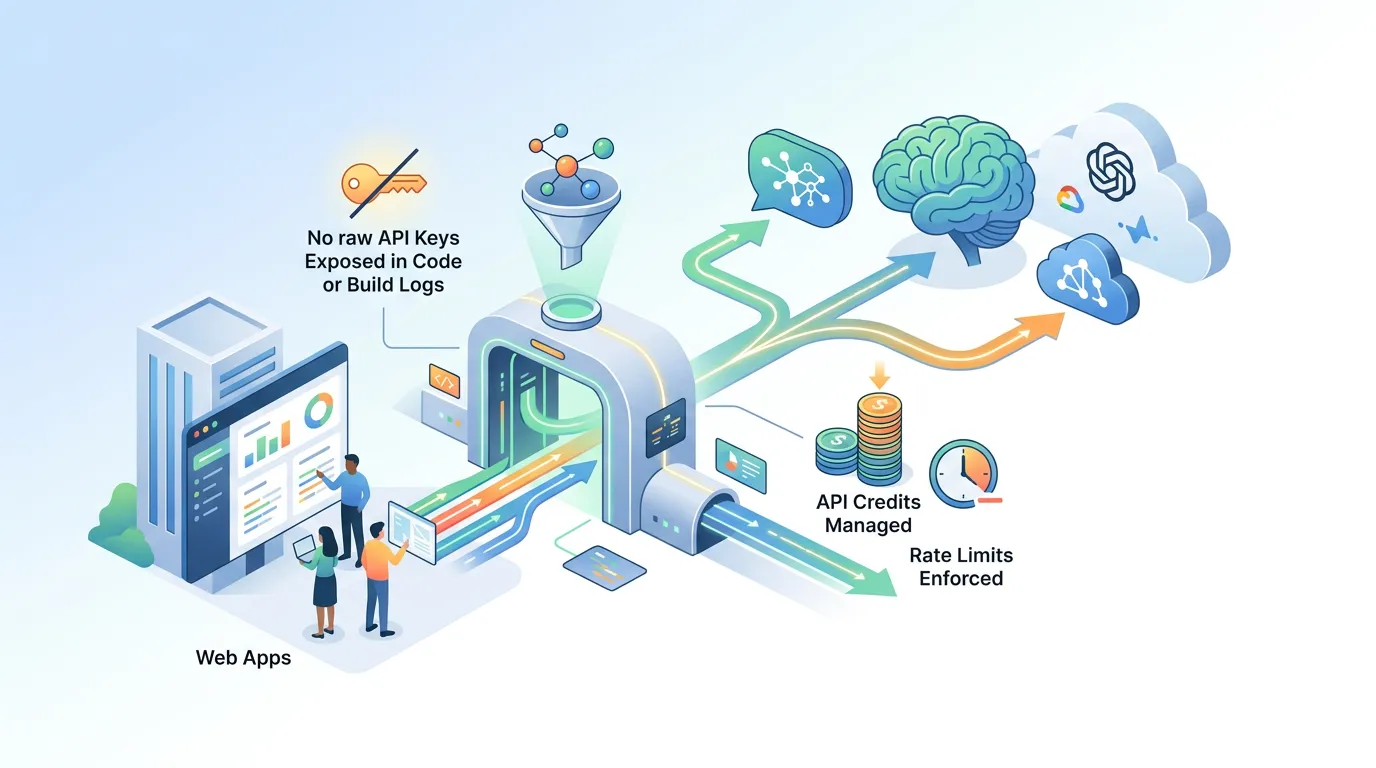
Payment integrations require secret API keys — and a leaked Stripe secret key means someone can issue refunds, create subscriptions, or drain your balance. The rule is simple: API keys must never appear in your source code, your build logs, or your version control history.
The correct pattern:
- Store keys as environment variables (e.g.,
STRIPE_SECRET_KEY). - Access them server-side only — never expose them to the browser.
- Rotate keys immediately if you suspect exposure.
When you build with FloopFloop, project-specific secrets (including payment provider keys) are stored via a platform UI, encrypted at rest with AWS KMS, and injected into the runtime environment — they never appear in generated code or build logs. This means you get production-grade secrets hygiene without setting up a secrets manager yourself.
Post-Launch: Receipts, Failed Payments, and Pricing Analytics
Getting your first paid user is the beginning, not the end. Three things to wire up immediately after launch:
-
Automated receipt emails. Stripe can send these natively — enable them in your Dashboard settings. For branded receipts, use a transactional email provider (Resend, Postmark) triggered by the
payment_intent.succeededwebhook. -
Failed payment recovery (dunning). Subscription payments fail roughly 10–15% of the time due to expired cards or insufficient funds. Enable Stripe's Smart Retries and configure your Customer Portal so users can update their payment method. A single automated retry email can recover 20–30% of failed charges.
-
Pricing page analytics. Add event tracking (e.g., Plausible or PostHog) to your pricing page before you launch. Track: page views → plan clicks → checkout sessions started → payments completed. Funnel drop-off at each stage tells you exactly where to iterate — copy, price point, or plan structure.
Wrapping Up
Adding payments to a web app is not a late-stage concern — it's a validation tool you should reach for early. Pick a hosted checkout provider like Stripe, choose a pricing model that matches your value delivery, design a pricing page built around trust and clarity, and protect your API keys at every layer. With that foundation in place, you move from "working app" to "revenue-generating product" in days, not months. If you want to skip the boilerplate entirely, FloopFloop can generate a fully wired Next.js checkout flow — including billing page, webhook handlers, and encrypted secrets injection — from a single natural-language prompt.
Frequently asked questions
What is the easiest way to integrate a payment gateway into a website?
The easiest way is to use a hosted checkout page from your payment processor. Stripe Checkout, for example, handles card rendering, authentication, and mobile layout without any custom card UI. You create a Checkout Session server-side, redirect the user to the Stripe-hosted URL, and handle a webhook when payment completes. This requires no PCI DSS compliance beyond SAQ A and can be implemented in a few hours.
How do I accept credit card payments on my web app?
Use a payment provider like Stripe. Create a Checkout Session via the Stripe API on your server, return the session URL to your client, and redirect the user there. Stripe collects card details in its own secure iframe — your server only handles a session ID and a webhook confirmation event, never raw card numbers. This keeps you out of PCI scope and is the recommended approach for Next.js apps.
What are the best payment APIs for web applications?
Stripe is the best default for most web apps — it has the richest feature set (one-time payments, subscriptions, usage billing, tax) and the best developer experience. Paddle and LemonSqueezy are strong alternatives if you need a Merchant of Record to handle international VAT/GST compliance automatically. For indie developers and small SaaS products targeting English-speaking markets, Stripe is the most practical starting point.
How do I integrate Stripe into a web app?
Install the Stripe Node.js SDK (npm install stripe). Create a server-side API route that calls stripe.checkout.sessions.create() with your price ID, success URL, and cancel URL, then return the session URL to the client. On the client, redirect the user to that URL. After payment, Stripe calls your webhook endpoint — verify the event signature using stripe.webhooks.constructEvent() and update your database. The entire flow can be implemented in under 50 lines of TypeScript.
Is it safe to handle payments directly on my web app?
Yes, as long as you never handle raw card data yourself. By using Stripe Checkout or Stripe Elements, card entry is delegated entirely to Stripe's servers. Your app only touches session IDs and webhook events, which keeps you in the simplest PCI DSS compliance tier (SAQ A). Always use HTTPS, verify webhook signatures, and store only the customer and subscription IDs in your own database — never card numbers.
What do I need to accept online payments legally?
At minimum you need: (1) a verified Stripe or equivalent account satisfying KYC/AML requirements, (2) a Privacy Policy explaining how user and payment data is handled, (3) Terms of Service including a refund policy, and (4) tax compliance for your target markets (Stripe Tax or a Merchant of Record like Paddle can automate VAT/GST). You do not necessarily need a registered business entity to start, but you will need one before scaling to significant revenue in most jurisdictions.
Subscribe to the FloopFloop newsletter
New posts, product updates, and the occasional lesson — straight to your inbox.
We'll never share your email. Unsubscribe anytime.