AI Gateway for Web Apps: Route LLMs, Rate Limits & Credits
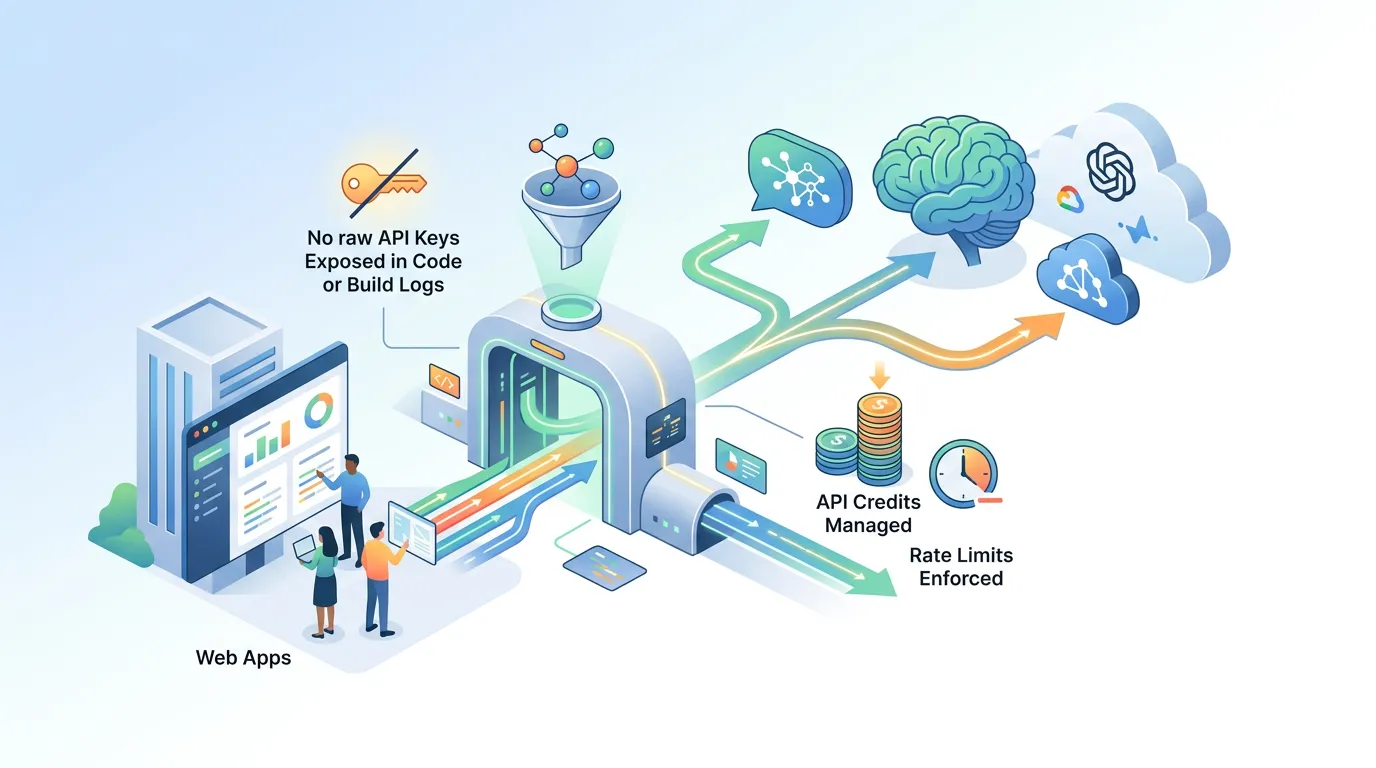
Dropping a raw OPENAI_API_KEY into your .env file feels fast — until a leaked build log, a scraped client bundle, or a runaway fetch loop costs you thousands of dollars overnight. An AI Gateway for web apps solves this problem by acting as the single intelligent intermediary between your application and every LLM provider you use. This article explains exactly how a gateway works, why it matters for production apps, and how to wire one into a Next.js project.
What is an AI Gateway and how does it work? An AI Gateway is a proxy layer — deployed between your web app and upstream LLM APIs — that handles authentication, model routing, rate limiting, and credit accounting in one place. Your app sends a request to the gateway; the gateway selects the right model, injects the real API key at runtime, enforces usage policies, and forwards the call. Your code never sees the raw key.
What Is an AI Gateway and Why Do Raw API Keys Create Risk?
When you embed API keys directly in application code, you create several compounding problems:
- Source-code exposure — Keys committed to a repository (even a private one) are one misconfigured permission away from being public.
- Build-log leakage — Many CI/CD systems print environment variables in verbose mode; a key that appears in a log is effectively compromised.
- Client-bundle leakage — In frameworks like Next.js, a variable prefixed
NEXT_PUBLIC_or accidentally imported in a client component is shipped to every browser. - No central revocation — If a key is embedded in five services, revoking it means updating all five simultaneously.
An AI Gateway collapses all four problems into one: your app authenticates to the gateway, and the gateway authenticates to OpenAI, Anthropic, Google, or whichever provider you need. Rotate a key in one place; every downstream service keeps working.
"The gateway is the single source of truth for every LLM credential in your stack. Revoke, rotate, or swap a model without touching application code."
How Does Model Routing Work in an AI Gateway?
Model routing is the gateway's ability to choose which LLM to use for a given request, based on rules you define. Common routing strategies include:
- Cost routing — Route short, low-stakes prompts to a cheaper model (e.g. GPT-4o mini) and reserve expensive models (GPT-4o, Claude 3.5 Sonnet) for complex reasoning tasks.
- Latency routing — If a user is waiting for a real-time response, the gateway can prefer the fastest available model and fall back to a slower but richer one if latency targets are met.
- Task-type routing — Tag requests by intent (
summarize,code,classify) and map each tag to the model with the best benchmark performance for that task. - Fallback routing — If the primary provider returns a 429 or 5xx, the gateway automatically retries on an alternate provider without your app code handling that logic.
Why This Matters for Multi-Provider Strategies
The LLM landscape changes fast. A model that leads on code generation benchmarks today may be superseded in three months. With routing centralized in a gateway, you swap the model assignment in one config; your application endpoints stay identical. According to Anthropic's model documentation, even within a single provider's lineup, newer model versions can offer 2–3× better price-performance — a gateway lets you adopt upgrades instantly.
What Are the Benefits of Using an AI Gateway for Web Applications?
The benefits compound across security, cost, and developer velocity:
- Centralized secret management — One encrypted store for all LLM credentials; no key ever touches your app's code or build artifacts.
- Predictable costs — Per-user or per-endpoint token budgets prevent a single misbehaving user from draining your monthly quota.
- Provider independence — Switch from OpenAI to Anthropic (or use both) without a code change in your app.
- Audit and observability — Every request through the gateway is loggable; you get token counts, latency, model used, and error rates in one place.
- Simplified compliance — For apps in regulated industries, having credentials in an isolated, encrypted gateway layer is far easier to audit than scattered
.envfiles.
How Does an AI Gateway Differ from a Traditional API Gateway?
| Feature | Traditional API Gateway | AI Gateway |
|---|---|---|
| Primary concern | HTTP routing, auth, throttling | All of the above + LLM-specific semantics |
| Credential management | API keys for your own services | Manages upstream LLM provider keys |
| Routing logic | URL/method-based | Model selection by cost, latency, task type |
| Cost control | Request count limits | Token-budget limits per user/session |
| Streaming support | Partial | First-class SSE / chunked streaming |
| Fallback handling | Generic retry | Provider-aware model fallback |
A traditional API gateway (like AWS API Gateway or Kong) is excellent for routing HTTP traffic to your own microservices. An AI gateway extends that concept with LLM-native primitives: token counting, streaming pass-through, model aliases, and credit ledgers. You often need both in a production stack, but they solve different problems.
"Token budgets are not the same as request rate limits. An AI Gateway enforces both independently — a user can make few requests that each consume enormous context, or flood the endpoint with tiny ones."
Rate Limiting and Credit Management: Protecting Against Runaway Costs
Uncontrolled LLM usage is one of the fastest ways to receive a shocking cloud bill. A well-configured AI Gateway enforces multiple layers of protection:
- Per-user token budgets — Each authenticated user gets a credit allocation; requests exceeding their budget are rejected with a clear error, not silently charged.
- Per-endpoint rate limits — A
/api/chatroute can be capped at, say, 20 requests per minute per IP, independent of token volume. - Global spend cap — A hard ceiling on total spend per billing period; the gateway returns a
503once the cap is reached rather than letting costs accumulate. - Model cost weighting — The gateway understands that one GPT-4o call costs ~15× a GPT-4o mini call and deducts credits proportionally, not by request count alone.
Secrets Handling Best Practices: Keys Out of Code, Always
The industry-standard pattern for secrets in LLM-powered apps:
- Store secrets in an encrypted vault — Use a secrets manager (AWS KMS, HashiCorp Vault, or a platform-native equivalent) where values are encrypted at rest and access-controlled by IAM policy.
- Inject at runtime, not at build time — Secrets should be resolved when the Lambda or container starts, not baked into the Docker image or the Next.js build output.
- Never log secret values — Ensure your gateway and app logging pipelines redact any header that could carry a bearer token.
- Rotate without downtime — A proper vault + gateway setup lets you rotate a key by updating one entry; the gateway picks up the new value on its next credential refresh cycle without redeploying your app.
How Do I Integrate an AI Gateway into My Existing Web App?
Here is a practical walkthrough for a Next.js app:
Step 1 — Define a server-side API route
Create app/api/chat/route.ts. This route receives the user's prompt from the browser and forwards it to your gateway endpoint — never to OpenAI directly.
// app/api/chat/route.ts
export async function POST(req: Request) {
  const { messages } = await req.json();

  const response = await fetch(process.env.AI_GATEWAY_URL + "/chat", {
    method: "POST",
    headers: {
      "Content-Type": "application/json",
      Authorization: `Bearer ${process.env.AI_GATEWAY_TOKEN}`,
    },
    body: JSON.stringify({ model: "auto", messages }),
  });

  // Stream the response back to the browser
  return new Response(response.body, {
    headers: { "Content-Type": "text/event-stream" },
  });
}
Notice: AI_GATEWAY_TOKEN is a short-lived token that authenticates your app to the gateway — not an OpenAI key. The OpenAI key lives only inside the gateway.
Step 2 — Store gateway credentials securely
AI_GATEWAY_URL and AI_GATEWAY_TOKEN go into your secrets store, not your .env.local (which can be accidentally committed) and absolutely not into NEXT_PUBLIC_ variables. These values are injected into the Lambda/container environment at runtime.
Step 3 — Set routing and budget rules in the gateway config
In your gateway dashboard, define a routing rule:
- Requests tagged
model: "auto"→ route to GPT-4o mini by default; escalate to GPT-4o if the prompt exceeds 2,000 tokens. - Per-authenticated-user budget: 50,000 tokens/day.
- Fallback: if OpenAI returns 429, retry once on Claude 3.5 Haiku.
Step 4 — Verify no keys appear in build output
Run next build and search the .next directory for any string matching the prefix pattern of your upstream keys. There should be zero results — because they never entered your Next.js build pipeline.
Real-World Use Cases That Benefit from Centralized Model Routing
- AI chatbots — Route casual chitchat to a fast, cheap model and hand off to a reasoning model when the user asks a complex multi-step question.
- Content generators — A blog-draft tool can route headline generation (quick, low-token) separately from full-article generation (high-token, quality-critical).
- Smart form assistants — An autofill assistant that calls an LLM on each keystroke needs aggressive rate limiting; the gateway enforces it without app-layer code changes.
- Multi-tenant SaaS — Different subscription tiers get different credit allocations enforced at the gateway, so your application layer stays tier-agnostic.
Which AI Gateways Are Best for Web App Development?
The right choice depends on your stack and control preferences. Notable options include:
| Gateway | Best for | Key trait |
|---|---|---|
| Portkey | Production SaaS | Observability, fallbacks, caching |
| LiteLLM | Self-hosted / OSS | Broad provider support, local deploy |
| OpenRouter | Multi-model routing | Single API, many providers |
| Built-in platform gateway | No-config startups | Zero credential management overhead |
If you're building on FloopFloop, the platform includes a built-in AI Gateway that handles model routing, rate limits, and credit management automatically. Your generated Next.js app calls the gateway through a managed endpoint — no API key configuration required on your end, and no keys ever appear in generated code or build logs.
Wrapping Up
An AI Gateway for web apps is not an optional add-on for large teams — it's the foundational security and cost-control layer any LLM-powered app needs before it sees real users. By centralizing credentials, enforcing per-user token budgets, and abstracting model selection behind a routing layer, you get a system that is simultaneously safer, cheaper to run, and easier to evolve as the model landscape changes. Start with the four-step integration above, lock down your secrets handling, and let the gateway carry the operational weight of multi-provider LLM management.
Frequently asked questions
What is an AI Gateway and how does it work?
An AI Gateway is a proxy layer deployed between your web application and LLM providers like OpenAI or Anthropic. Your app sends requests to the gateway, which authenticates to the upstream provider using credentials stored securely on the server, applies routing rules and rate limits, and streams the response back. Your application code never handles raw API keys.
What are the benefits of using an AI Gateway for web applications?
Key benefits include centralized secret management (no keys in code or build logs), predictable costs through per-user token budgets, provider independence (swap LLMs without code changes), full audit logging of every LLM call, and simplified compliance since all credentials live in one encrypted, access-controlled location.
How does an AI Gateway differ from a traditional API gateway?
A traditional API gateway handles HTTP routing, authentication, and throttling for your own services. An AI Gateway extends this with LLM-native features: token-budget enforcement, model selection by cost or latency, provider-aware fallback routing, and first-class streaming support. You often need both in a production stack, but they solve different problems.
Can an AI Gateway help manage multiple LLM providers?
Yes — multi-provider management is one of the primary reasons to use an AI Gateway. You define routing rules (e.g., use GPT-4o mini for short prompts, Claude 3.5 Sonnet for complex reasoning) and fallback rules (retry on Anthropic if OpenAI returns a 429). Switching or adding providers requires a config change in the gateway, not a code change in your app.
How do I keep API keys out of my Next.js build output?
Store LLM credentials in an encrypted secrets vault and inject them as runtime environment variables into your Lambda or container — not during the Next.js build step. Your app should only hold a short-lived gateway token, not the upstream provider key. After building, search your .next directory for key prefixes to confirm nothing leaked into the build artifact.
Subscribe to the FloopFloop newsletter
New posts, product updates, and the occasional lesson — straight to your inbox.
We'll never share your email. Unsubscribe anytime.
Related articles

How to Add an AI Chatbot to Your Web App Without Managing API Keys
Learn how to add an AI chatbot to your web app in minutes — covering model routing, rate limits, and API key security — without writing a single line of backend boilerplate.
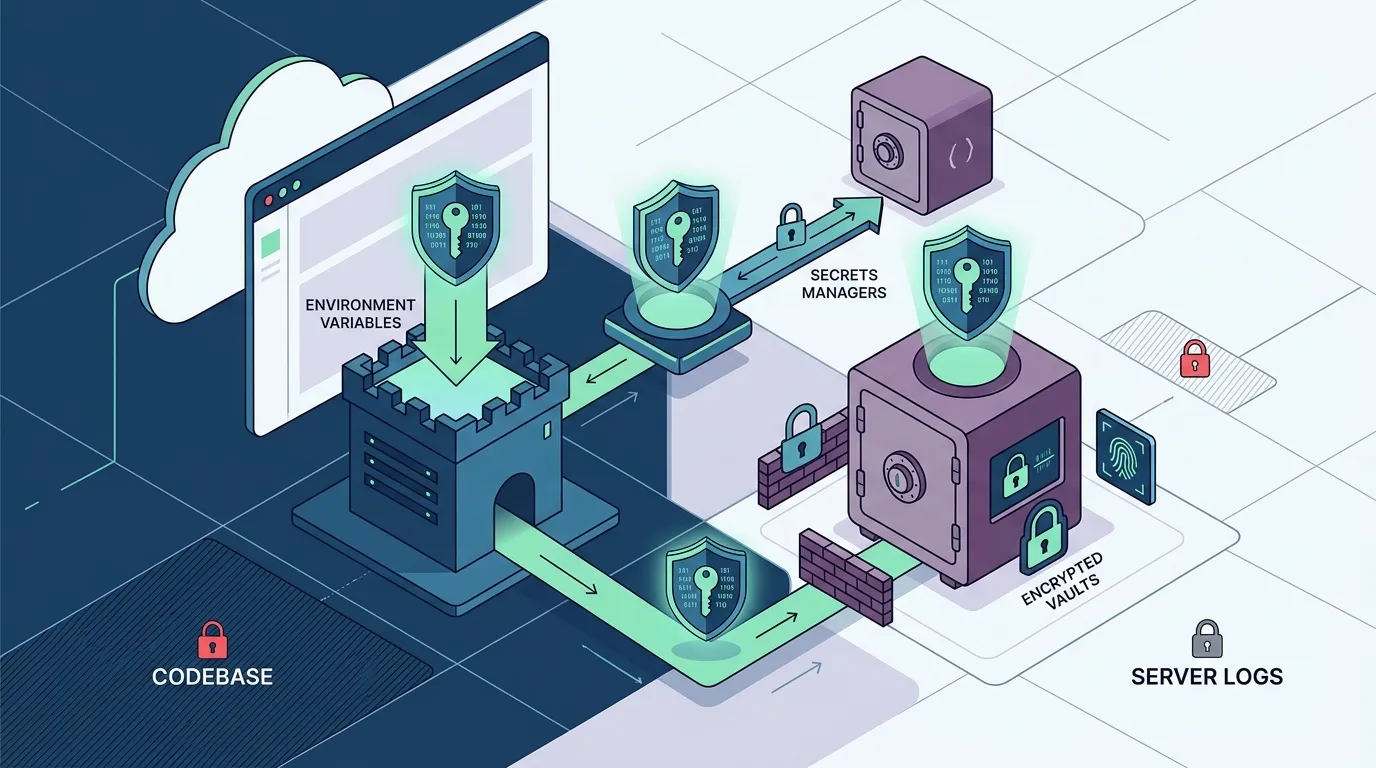
How to Store API Keys Securely in a Web App Without Leaking Them
Learn how to store API keys securely in a web app by using environment variables, secrets managers, and encrypted vaults — so your credentials never appear in code, logs, or version history.
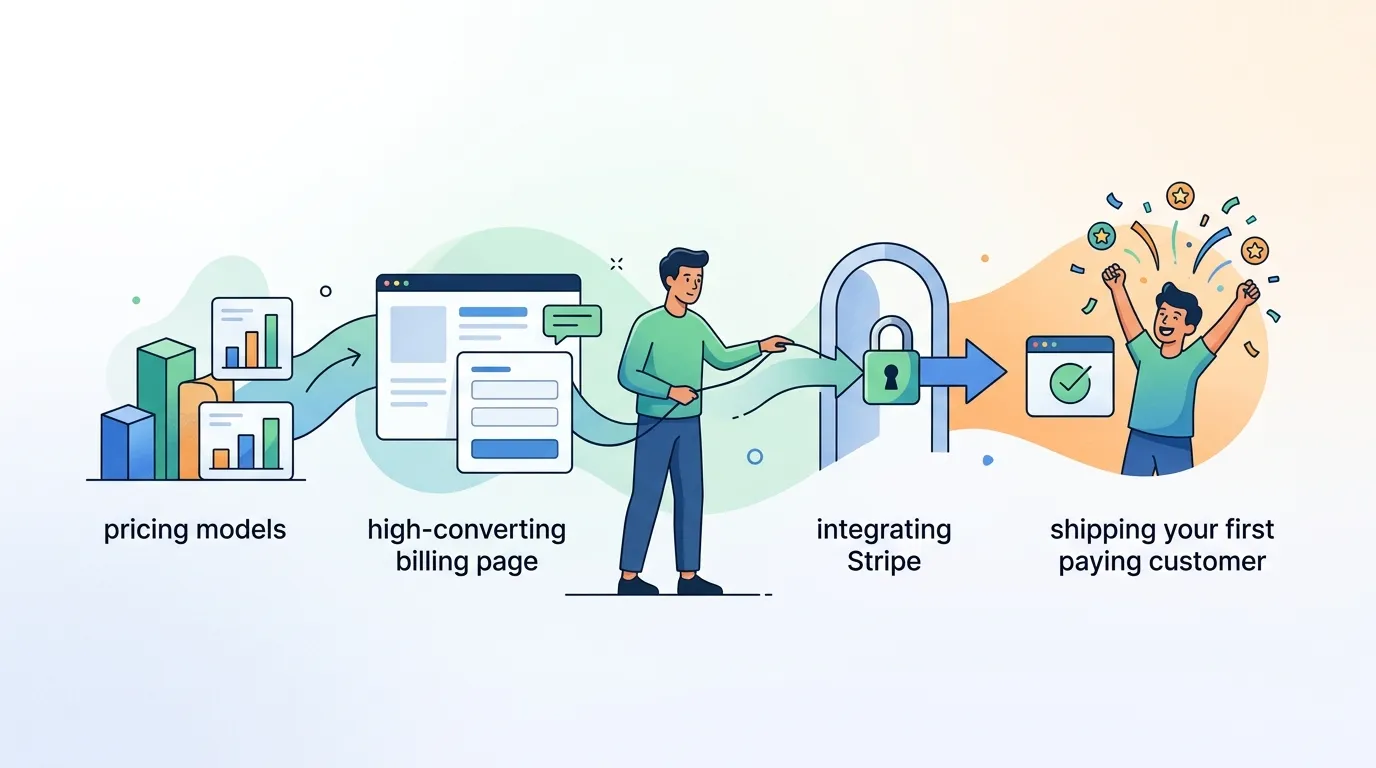
How to Add Payments to a Web App: Monetize Your Next.js Project Fast
Learn how to add payments to a web app — from choosing a pricing model and designing a high-converting billing page to integrating Stripe and shipping your first paying customer.