How to Store API Keys Securely in a Web App Without Leaking Them
Leaked API keys are one of the most preventable — and most expensive — security mistakes a web developer can make. A single exposed credential can rack up thousands of dollars in fraudulent cloud charges overnight or hand an attacker access to your users' private data. This article explains exactly how to store API keys securely in a web app, why common shortcuts fail, and what a properly designed secrets management pipeline looks like.
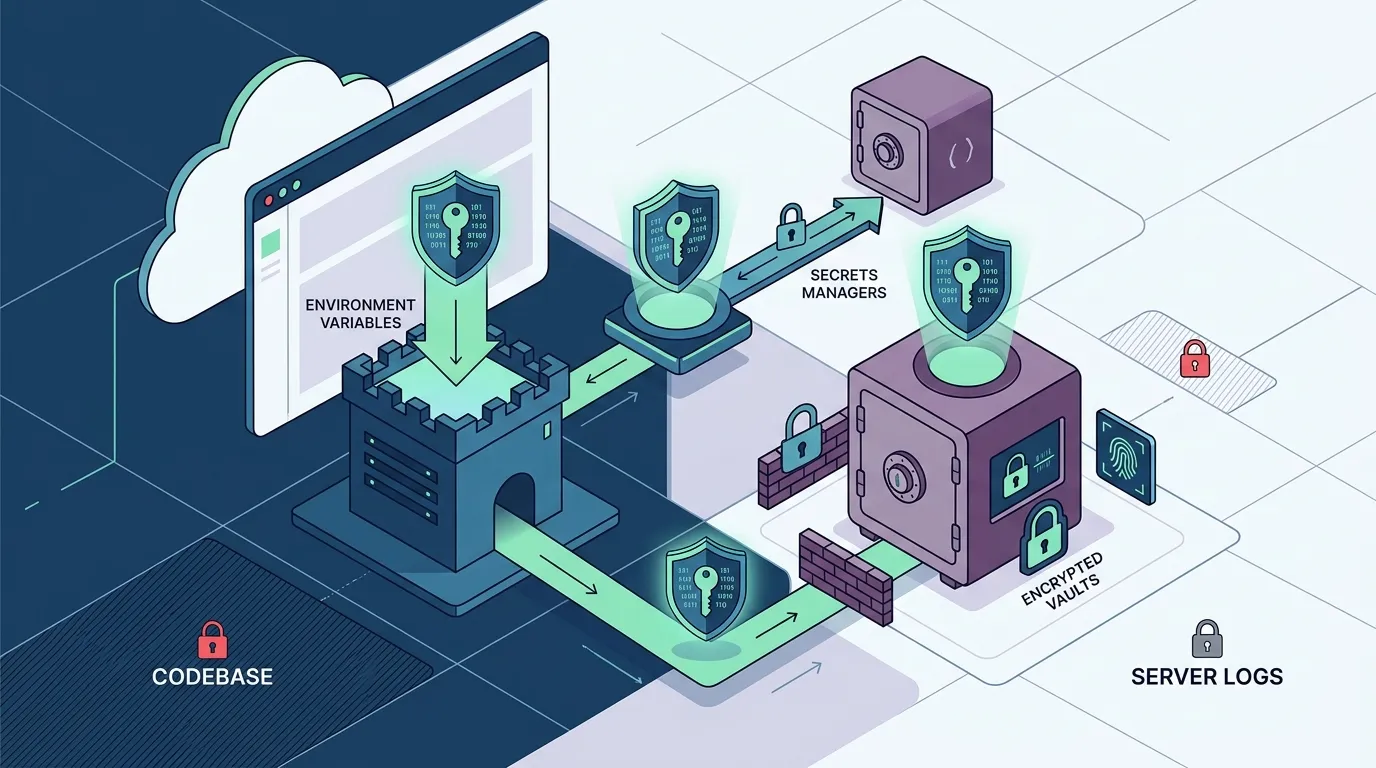
The safest way to store API keys in a web app is to keep them server-side, outside your codebase, and encrypted at rest. Use environment variables injected at runtime, backed by a secrets manager like AWS KMS or HashiCorp Vault. Never place a key directly in source code, a frontend JavaScript bundle, or a public repository — even temporarily.
What Are the Risks of Hardcoding API Keys in Source Code?
When you paste an API key directly into your code — even behind a comment that says "remove before pushing" — you are creating a permanent record. Git history is forever. A key committed at 9 a.m. and deleted at 9:05 a.m. is still readable in git log for the lifetime of the repository. Automated scanners like GitHub's secret scanning catch many of these, but the damage often happens before the alert fires.
Beyond version history, hardcoded keys surface in:
- Build logs — CI/CD systems often print environment context, and a key in source code can leak into plain-text logs accessible to everyone on the team.
- Frontend JavaScript bundles — If a key is imported anywhere in client-side code, every browser that loads your app can read it in DevTools → Sources in under 10 seconds.
- Third-party dependencies — Supply-chain attacks against npm packages have been used specifically to exfiltrate environment variables and source code that contains secrets.
"The average time between a secret being pushed to a public GitHub repository and its first unauthorized use is under four minutes." — a finding repeatedly cited in cloud security incident reports.
The financial and reputational costs are real: a leaked AWS key was responsible for a $50,000+ bill in one widely-shared post-mortem, and Google Cloud has documented similar patterns.
Should API Keys Be Stored in Environment Variables?
Yes — environment variables are the baseline industry standard for separating secrets from code. Instead of writing const apiKey = "sk-live-abc123", you reference process.env.MY_API_KEY. The actual value lives in a .env file locally (which you add to .gitignore and never commit) or in a platform-level environment configuration that's kept outside the repository entirely.
How runtime injection works
At build or startup time, the runtime reads the environment and injects the value into the process memory of your server. The key is available to your application logic but:
- It is never serialized into the deployed bundle.
- It does not appear in source control.
- It can be rotated without touching a single line of code.
The critical rule: environment variables that start with NEXT_PUBLIC_ in Next.js (or VITE_ in Vite) are bundled into the client-side output. Any key with those prefixes is public. Only server-side environment variables stay hidden.
How Do You Use a Secrets Manager to Store API Keys?
A secrets manager goes beyond .env files by adding encryption, versioning, access policies, and audit trails. AWS Secrets Manager, AWS KMS, HashiCorp Vault, and Doppler are common choices.
The general pattern works like this:
- Store the secret in the secrets manager via its UI or CLI. The value is encrypted at rest using a managed key (KMS, AES-256).
- Grant your application an IAM role or policy that allows it to read that specific secret — and nothing else.
- At runtime, your application calls the secrets manager API to retrieve the value. The plaintext key is held only in memory, never written to disk or logs.
- Rotate the key in the secrets manager; your app picks up the new value without a redeployment.
This model means that even if your application code is fully public (open-source), the secret is not — because the code only contains a reference to the secret's name, not its value.
How Do You Prevent API Keys From Being Exposed in Client-Side Code?
The rule is simple: any API key that must remain secret should only ever be called from server-side code. This means:
- Place API calls in server functions, API routes, or backend services — not in React components, browser-side event handlers, or static HTML.
- Use a proxy pattern: your frontend calls your own backend endpoint (e.g.
/api/weather), which authenticates the user, then calls the third-party API using the secret key stored server-side. - Audit your bundles periodically with tools like webpack-bundle-analyzer to confirm no secrets have crept into client output.
If a secret is in a JavaScript file that ships to the browser, it is not a secret. Treat any client-side "hidden" key as fully compromised.
Can API Keys Be Stored Securely in a Database?
Technically yes — a database can store API keys if they are encrypted before insertion (using application-level encryption or a KMS-backed column encryption scheme) and if access to the database itself is tightly controlled. However, this is generally more complex than environment variables or a dedicated secrets manager, and it introduces new attack surfaces: database credentials, connection strings, and ORM-level logging can all expose the keys you're trying to protect.
For most web applications, a secrets manager or platform-managed vault is the right tool. Reserve database storage for user-supplied API keys (e.g., where each user stores their own key to call a service on their behalf) — and even then, encrypt the column at rest with a separate KMS key.
Step-by-Step: Adding a Secrets-Safe API Key to a FloopFloop Project
FloopFloop is an AI-powered web app builder that generates and deploys Next.js + TypeScript apps. Its platform includes a built-in secrets vault so that neither you nor the AI code generator ever needs to type a raw key into application code.
Here is the workflow for adding, say, a payment provider or weather API key:
- Open your project in the FloopFloop platform and navigate to the project settings area.
- Find the Secrets / Environment Variables panel. Enter the key name (e.g.
WEATHER_API_KEY) and paste the value. The platform encrypts the value at rest using AWS KMS before it is persisted. - Save. The secret is now stored in FloopFloop's encrypted vault. It will never appear in your generated source code, in build logs, or in any visible output.
- Reference the key in your app. When you describe a feature to FloopFloop's AI (e.g., "fetch current weather using my WEATHER_API_KEY"), the generated code references
process.env.WEATHER_API_KEY— a name, not a value. - At runtime, FloopFloop injects the secret into the serverless function environment. The plaintext value exists only in memory during execution.
- To rotate the key, return to the secrets panel, update the value, and the change takes effect immediately — no code edit or redeployment needed.
This design means that even the code generation process itself never has access to your secret's plaintext value.
Best Practices for Secret Rotation, Scoping, and Auditing
Following secure storage with good operational habits closes the loop:
- Rotate keys on a schedule. Many providers let you set expiry dates. A 90-day rotation cadence is a common baseline for production keys.
- Scope keys to the minimum required permissions. If your app only reads data, create a read-only API key — not an admin key.
- Use separate keys per environment. Your development, staging, and production environments should each have their own credentials, so a leak in dev doesn't compromise prod.
- Monitor usage. Most API providers offer usage dashboards. Set up alerts for unusual spikes — a compromised key often shows up as a sudden traffic surge before any other indicator.
- Revoke immediately on suspicion. The moment you suspect a key has been exposed, revoke it first and investigate second.
Common Mistakes Non-Technical Builders Make — and How Managed Platforms Prevent Them
Non-technical builders face a steeper risk curve because they may not know that pasting a key into a .js file is dangerous. The most common mistakes:
- Pasting API keys directly into the AI prompt while building — which can embed the value in conversation logs or generated comments.
- Using the same key for local testing and production.
- Sharing project files (or screenshots) that contain visible key strings.
- Not realizing that a publicly deployed frontend exposes all JavaScript to anyone with a browser.
A platform that manages secrets by design — where keys are entered into an encrypted vault and injected at runtime — eliminates these failure modes structurally, not just through developer discipline.
Wrapping Up
Knowing how to store API keys securely in a web app comes down to three principles: keep secrets out of your code, encrypt them at rest, and inject them at runtime from a controlled, audited vault. Environment variables are the floor; a proper secrets manager is the ceiling. If you're building a web app and want these protections to be handled for you automatically, FloopFloop encrypts every secret with KMS and injects it at runtime — so the problem is solved before you think to ask about it.
Frequently asked questions
What is the safest way to store API keys in a web application?
The safest way is to store API keys in an encrypted secrets manager (such as AWS Secrets Manager or HashiCorp Vault), inject them as server-side environment variables at runtime, and ensure they are never included in client-side JavaScript bundles or source code repositories.
Should API keys be stored in environment variables?
Yes — environment variables are the industry standard baseline. They keep secrets out of source code and version history. However, in frameworks like Next.js, only server-side environment variables are safe; any variable prefixed with NEXT_PUBLIC_ is bundled into the browser output and is effectively public.
How do you prevent API keys from being exposed in client-side code?
Never import or reference a secret API key in any file that runs in the browser. Instead, place all third-party API calls in server-side functions or API routes. Your frontend should call your own backend endpoint, which then calls the external service using the secret stored server-side.
What are the risks of hardcoding API keys in source code?
Hardcoded keys persist in Git history even after deletion, can appear in build logs and CI/CD output, and are bundled into client-side JavaScript where any user can read them in browser DevTools. Automated scanners on public repositories can detect and exploit leaked keys in under four minutes.
How do you use a secrets manager to store API keys?
Store the key's value in the secrets manager (not in code), grant your application an IAM role that can read only that specific secret, and have your application retrieve the plaintext value at runtime via an API call. The key is held only in memory and can be rotated without any code changes.
Can API keys be stored securely in a database?
Yes, but only if they are encrypted before insertion using application-level or KMS-backed column encryption, and database access itself is tightly controlled. For most apps, a dedicated secrets manager is simpler and safer. Database storage is most appropriate for user-supplied keys, where each user's key is encrypted individually.
Subscribe to the FloopFloop newsletter
New posts, product updates, and the occasional lesson — straight to your inbox.
We'll never share your email. Unsubscribe anytime.
Related articles

How to Store API Keys Securely in Any AI Web App
Hardcoding API keys in frontend code exposes them to anyone who views your source — here's a practical, framework-aware guide to storing and using secrets safely in AI-powered web apps.

AI Gateway for Web Apps: Route LLMs, Rate Limits & Credits
Learn how an AI Gateway centralizes LLM routing, enforces rate limits, and manages API credits so your web app never exposes raw API keys in code or build logs.

How to Add an AI Chatbot to Your Web App Without Managing API Keys
Learn how to add an AI chatbot to your web app in minutes — covering model routing, rate limits, and API key security — without writing a single line of backend boilerplate.