Build a SaaS Landing Page with Checkout Using AI Prompts
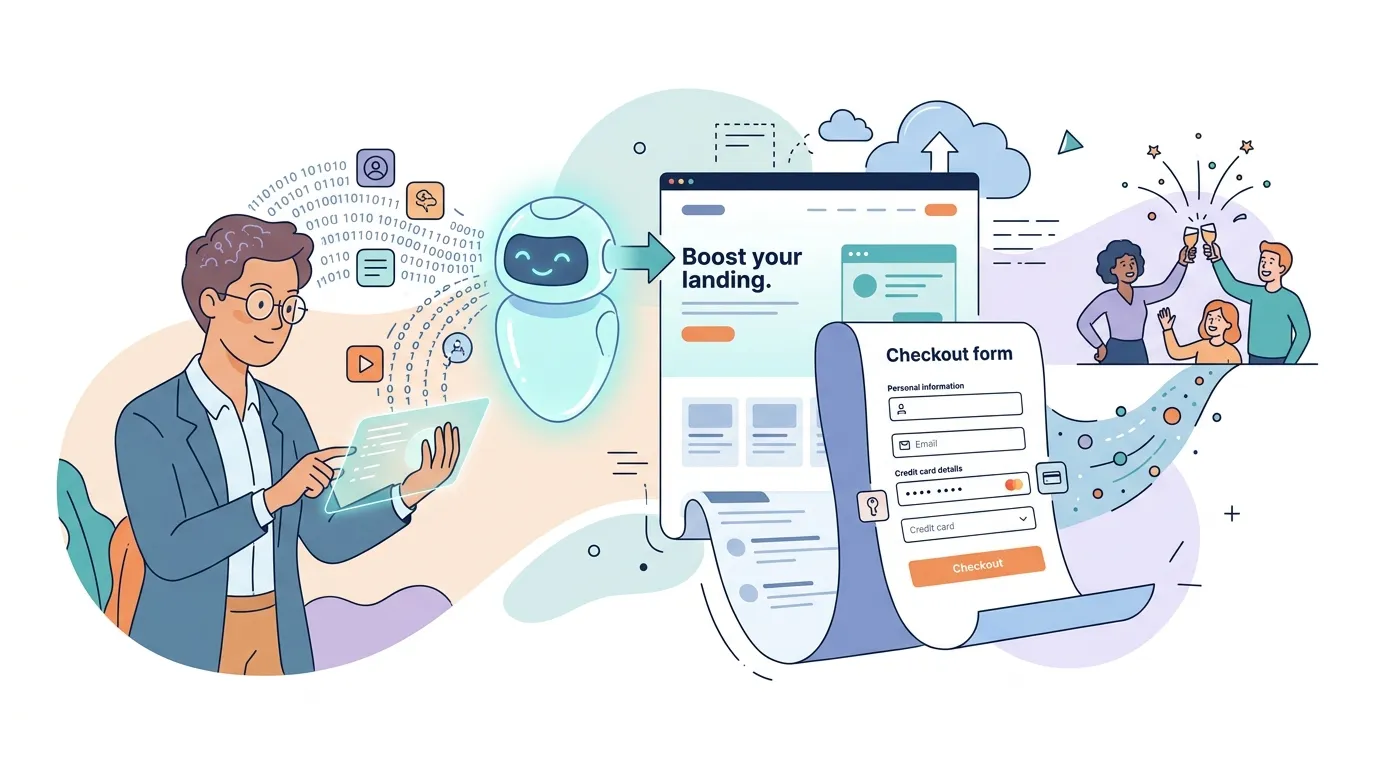
Getting from "I have a SaaS idea" to "I have a paying customer" has historically required a designer, a frontend developer, a payments integration, and a DevOps engineer. That bottleneck kills momentum. This article shows you exactly how to build a SaaS landing page with checkout flow using nothing but natural language prompts — and have it live on a custom domain before the day is out.
The direct answer: To build a SaaS landing page with checkout, you need five core sections (hero, features, pricing, social proof, FAQ), a connected payment flow, and a deployment target. Modern AI app builders let you describe all of this in plain English and generate production-ready Next.js/TypeScript code automatically — including the billing logic — without you writing a single line of code.
Why a Landing Page + Checkout Combo Is Your Fastest Path to SaaS Revenue
Most early-stage founders make the same mistake: they build the full product before validating that anyone will pay for it. A tightly scoped landing page with a real checkout flow lets you test pricing, messaging, and demand in hours, not months.
The numbers back this up. According to HubSpot research, landing pages with a single, focused call to action convert at 2–5× the rate of generic homepages. Add a frictionless checkout — one that doesn't redirect the user to a foreign domain or ask them to create an account before entering a card — and you compound that advantage further.
The goal is a page that does three things: explains the value clearly, builds enough trust to justify a purchase, and then gets out of the way so the user can pay.
What Are the Essential Sections of a SaaS Landing Page?
A high-converting SaaS landing page follows a proven structure. Every section earns its place by either building desire or removing doubt.
- Hero — A single, specific headline that names the problem you solve and the outcome you deliver. Pair it with a sub-headline and a primary CTA button ("Start free trial" or "Get access for $X/mo").
- Social proof strip — Logos of companies using your tool, a star rating, or a short pull quote. Placed immediately below the hero, this reassures visitors before they've scrolled.
- Feature/benefit section — Three to five features, each framed as a user outcome rather than a technical capability. "Ship a landing page in 10 minutes" beats "AI-powered code generation."
- Pricing table — One to three tiers with a clear recommended plan. Anchoring a mid-tier plan between a free/low plan and a premium plan reliably lifts mid-tier conversions.
- FAQ — Answers to the five objections that would otherwise kill the sale: refund policy, data privacy, cancellation terms, what happens after trial, and how support works.
- Final CTA — Repeat the primary CTA at the bottom. Users who scroll all the way down are your highest-intent visitors.
A landing page that tries to explain everything ends up converting nothing. Ruthless focus on one offer, one audience, and one action is the structural secret of every high-performing SaaS page.
How to Describe Your Landing Page to an AI Builder
The quality of your prompt determines the quality of the output. You don't need to know TypeScript or React — you need to know your product. Here's a prompt structure that reliably produces production-ready pages:
Build a SaaS landing page for [Product Name], a tool that helps [target audience]
[achieve outcome] without [pain point].

Include:
- Hero with headline, sub-headline, and a "Get started for $X/mo" CTA button
- Three feature cards: [Feature 1], [Feature 2], [Feature 3]
- A two-tier pricing table: Starter ($X/mo) and Pro ($Y/mo), with Pro highlighted
- A five-item FAQ section
- A footer with links to Privacy Policy and Terms of Service

Style: clean, dark background, Inter font, accent color #6C63FF.
Being specific about color, font, and section order is not micromanagement — it reduces the number of follow-up iterations you'll need. Name your tiers, specify your prices, and list your actual features. The AI cannot guess what makes your product unique; you have to tell it.
How Do I Integrate a Checkout Flow into a SaaS Landing Page?
This is where most no-code tools hit a wall. A static landing page builder can make something look like a pricing table, but wiring it to a real payment processor — handling webhooks, subscription states, failed payments, and cancellations — typically requires a backend developer and a Stripe integration.
AI app builders that generate full-stack Next.js/TypeScript apps sidestep this entirely. The generated app includes server-side API routes that handle the checkout session lifecycle. You describe the billing behavior in your prompt ("monthly subscription, cancel anytime, 14-day free trial") and the platform's built-in checkout and billing flow handles the rest.
Secrets like payment provider API keys are stored encrypted at rest and injected at runtime — they never appear in generated code or build logs. You configure them once through the platform's project settings UI, and every subsequent deploy picks them up automatically.
The moment your checkout is handled server-side in the same codebase as your landing page, you eliminate the most common conversion killer: the redirect to a third-party payment page that makes users second-guess their purchase.
What Is the Best Payment Gateway for a SaaS Checkout Page?
For most early-stage SaaS products, Stripe is the default choice. It supports subscription billing, usage-based pricing, free trials, coupons, and tax calculation out of the box. Its API is the most widely documented, which means AI code generators have seen enough Stripe integration patterns to generate reliable implementations.
For specific regions or use cases, alternatives like Paddle (handles VAT/GST automatically) or LemonSqueezy (built for indie SaaS, includes merchant-of-record services) are worth evaluating. The key criterion is not features — all three are feature-rich — it's how well the generated code handles your specific billing model (one-time, monthly, annual, per-seat).
Auto-Deployment and Custom Domain Setup
Once your page is generated, you want it live on a branded URL — not a generic subdomain that signals "prototype." AI app builders that handle deployment automatically give you a working URL immediately after generation, with no manual deploy step required.
Attaching a custom domain typically involves adding a CNAME record at your DNS registrar pointing to the platform's CDN. SSL certificate provisioning and DNS validation happen automatically. From prompt to https://yoursaas.com can take under 15 minutes if your DNS TTL is low.
Should a SaaS Landing Page Have a Free Trial or Direct Checkout?
Both models work; the right choice depends on your product's activation time. If a user can experience meaningful value within 5–10 minutes, a free trial lowers the barrier to entry and increases top-of-funnel volume. If your product requires setup, data import, or onboarding before value is felt, a trial often leads to low activation and churn before the conversion event.
Direct checkout with a money-back guarantee works well for tools with a clear, immediate outcome — especially if your price point is under $50/month. The guarantee removes the risk objection without the operational overhead of managing trial expirations and upgrade nudges.
Test both. Your AI-generated page can be duplicated and modified in a follow-up prompt in minutes — making A/B testing a low-effort operation rather than a full sprint.
How Do I Optimize a SaaS Landing Page for Conversions?
Iterate in plain English. After your initial page is live, review the copy as if you were a skeptical first-time visitor. Then send follow-up prompts:
- "Rewrite the hero headline to be more specific — lead with the outcome, not the feature."
- "Add a testimonial carousel between the features section and the pricing table."
- "Change the pricing table so the Pro plan appears first and is visually emphasized with a badge that says 'Most popular'."
- "Add a sticky header CTA that appears after the user scrolls past the hero."
Each iteration regenerates only the affected component, redeploys automatically, and is live within seconds. This tight feedback loop — describe, generate, review, refine — is how you move from a first draft to a conversion-optimized page in an afternoon rather than a sprint.
Wrapping Up
Building a SaaS landing page with checkout used to be a multi-week project involving several specialists. Describing your product, pricing, and design intent in plain language to an AI builder collapses that timeline to hours. The essentials — hero, pricing, FAQ, social proof, CTA, and a wired-up payment flow — are all describable in a prompt. FloopFloop is built for exactly this workflow: describe what you want, get a deployed Next.js app with billing handled, and iterate until your conversion rate earns the next feature build.
Frequently asked questions
What are the essential sections of a SaaS landing page?
A high-converting SaaS landing page needs six sections: a hero with a clear headline and CTA, a social proof strip (logos or testimonials), a feature/benefit section framed around user outcomes, a pricing table with one to three tiers, an FAQ that addresses the top five purchase objections, and a final repeated CTA at the bottom of the page.
How do I integrate a checkout flow into a SaaS landing page?
The cleanest approach is to generate a full-stack Next.js app where the landing page and checkout logic live in the same codebase. Server-side API routes handle the payment session, webhook events, and subscription state. AI app builders that produce this kind of output let you describe the billing behavior in plain English — no SDK integration required on your part.
What is the best payment gateway for a SaaS checkout page?
Stripe is the most widely recommended choice for early-stage SaaS because it supports subscriptions, free trials, coupons, and tax calculation out of the box. Paddle is a strong alternative if you need automatic VAT and GST handling. LemonSqueezy suits indie SaaS founders who want a merchant-of-record service that handles global tax compliance on their behalf.
Should a SaaS landing page have a free trial or direct checkout?
Use a free trial if users can experience meaningful value within 5 to 10 minutes of signing up — it lowers the barrier to entry. Use direct checkout with a money-back guarantee if your product requires significant setup before value is felt, or if your price point is low enough that the guarantee removes the risk objection without a formal trial period.
What tools can I use to build a SaaS landing page with checkout?
Options range from no-code page builders like Webflow or Framer (which require separate payment integrations) to AI app builders like FloopFloop that generate full-stack Next.js/TypeScript apps with a built-in checkout and billing flow. For developers comfortable with code, Next.js paired with Stripe Checkout is a robust manual option. The AI builder route is fastest if you want a payment-enabled, deployed page without writing code.
Subscribe to the FloopFloop newsletter
New posts, product updates, and the occasional lesson — straight to your inbox.
We'll never share your email. Unsubscribe anytime.
Related articles

How One User Built a Group Voting App Without Writing Code
Learn how VoteStay.com was built in days using natural language—a group voting app that lets friends democratically choose vacation rentals without touching a line of code.

Build an Event Promo Website in Minutes with FloopFloop
Create a stunning wedding, party, or birthday website in under 10 minutes using FloopFloop's AI-powered builder—no coding required.
How to Monetize a Web App You Built Without Code
Learn how to monetize a web app from first visitor to paying customer — covering pricing models, checkout flows, email conversion, and AI-powered upsells for no-code founders.